
Download TacoTranslate – AI‑Powered Localization Tool for React & Next.js
Overview
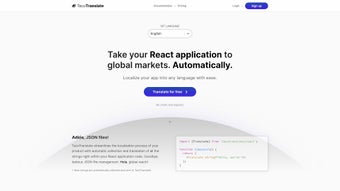
TacoTranslate is a subscription‑based web application that brings AI‑driven localization directly into the heart of your React or Next.js project. By automatically scanning your codebase, it extracts every user‑visible string, sends it to a powerful language model for contextual translation, and writes the results back into a format your app can consume without the need for separate JSON files. The tool is engineered to keep the original tone, idioms, and cultural nuances intact, which means the user experience stays consistent no matter which market you target.
Because the translation engine learns from each iteration, the quality improves over time, reducing the manual proofreading workload for developers and product teams alike. TacoTranslate shines brightest with the Next.js framework, leveraging its file‑system routing and server‑side rendering capabilities, but it also offers plug‑and‑play adapters for other React‑based stacks, Vue, or even plain JavaScript front‑ends. The interface is web‑based, giving you a dashboard where you can monitor translation progress, approve or edit results, and instantly push updates to your repository.
This streamlined workflow eliminates the typical bottleneck of maintaining multilingual assets, letting you focus on feature development, performance optimization, and growth strategies instead of tedious i18n chores.
Key Features, Pros & Cons, and Frequently Asked Questions
Feature List
- Automatic string extraction from React, Next.js, and other JavaScript frameworks.
- AI‑powered contextual translation that adapts to tone and industry‑specific language.
- Live dashboard for managing translation strings, approving edits, and tracking language coverage.
- One‑click integration with GitHub, GitLab, or Bitbucket for seamless CI/CD pipelines.
- Incremental learning – the model improves as you confirm or correct translations.
- Support for over 50 languages with right‑to‑left script handling.
- Secure, GDPR‑compliant data handling with end‑to‑end encryption.
- Export options for JSON, YAML, or PO files to match existing i18n workflows.
Pros & Cons
- Pros
- Reduces manual translation effort by up to 80 %.
- Context‑aware AI ensures higher quality than generic machine translators.
- Seamless integration with existing CI/CD pipelines.
- Dashboard gives non‑technical stakeholders visibility into localization status.
- Scales effortlessly as you add new languages or features.
- Cons
- Subscription pricing may be a barrier for very small hobby projects.
- Initial setup requires a few minutes of configuration for custom frameworks.
- AI model may need occasional human review for highly technical jargon.
Frequently Asked Questions
Is TacoTranslate compatible with existing i18n libraries?
Yes. TacoTranslate can generate output compatible with popular libraries such as react‑i18next, next‑translate, and formatjs. You simply replace your current JSON files with the exported ones, and the library will pick them up without code changes.
How does the AI ensure translations keep the original tone?
The model is fine‑tuned on a corpus of UI strings and product copy, allowing it to recognize context, formality level, and brand voice. Over time, as you approve or correct suggestions, the model learns your specific preferences.
Can I run TacoTranslate on a private network?
TacoTranslate is a cloud‑based SaaS solution, so all processing occurs on secure servers. However, the platform offers VPN‑whitelisted endpoints and end‑to‑end encryption, meeting most corporate security standards.
What happens to my source strings after translation?
The original strings remain untouched in your repository. TacoTranslate adds translated counterparts in separate locale files, preserving the source for future updates or re‑localization.
Is there a free trial or a free tier?
A 14‑day free trial is available, giving you full access to all features and up to 10,000 characters of translation. After the trial, you can choose a subscription plan that matches your project size.
Installation, Usage & Compatibility
Getting Started in Minutes
To begin, sign up on the TacoTranslate website and link your Git repository (GitHub, GitLab, or Bitbucket). After authorizing access, create a new project and select the framework you’re using—React, Next.js, Vue, or custom JavaScript. TacoTranslate will automatically scan the repository for *.js, *.jsx, and *.tsx files, extracting any literal strings passed to UI components. Once the scan completes, you’ll see a live list of detected strings in the dashboard.
Running the Translation Pipeline
From the dashboard, choose the target languages and click “Translate”. The AI engine processes each string, returning a translation that respects placeholders, HTML tags, and pluralization rules. You can review each entry, accept the suggestion, or manually edit it. After finalizing, click “Export”. TacoTranslate generates locale files (JSON, YAML, or PO) that you can commit back to your repository with a single click, triggering your CI pipeline to rebuild the app with the new language assets.
System Requirements & Supported Platforms
Because TacoTranslate is a cloud‑based service, there are no local installation constraints. It works on any operating system that can run a modern web browser—Windows 10/11, macOS Ventura or later, Linux distributions, as well as mobile browsers on Android 12+ and iOS 15+. For developers who prefer a CLI wrapper, TacoTranslate offers an npm package that can be executed on any Node.js environment (v14+).
Best Practices for Continuous Localization
Integrate the “Export” step into your CI/CD workflow so that every merge automatically updates translation files. Enable the “auto‑re‑translate” flag for new strings; the system will queue them for translation the next time the pipeline runs. Regularly review the “Translation Quality” metrics in the dashboard to identify languages that may need human proofreading.
Conclusion & Call to Action
TacoTranslate eliminates the repetitive, error‑prone aspects of internationalization, letting development teams focus on building features instead of managing language files. Its AI core delivers context‑aware translations that improve with each interaction, and the web‑based dashboard provides transparency for product managers and marketers alike. While the subscription cost may be a consideration for very small projects, the productivity gains—often a reduction of manual effort by 70‑80 %—make it a compelling investment for startups and enterprises targeting global markets.
If you’re ready to accelerate your product’s global reach, simply click the button below to start your free 14‑day trial. No credit card is required, and you’ll receive full access to all languages, integration options, and support resources. Join the growing community of developers who have already streamlined their localization workflow with TacoTranslate.



.png)



